


PIA BOLTE® COUTURE
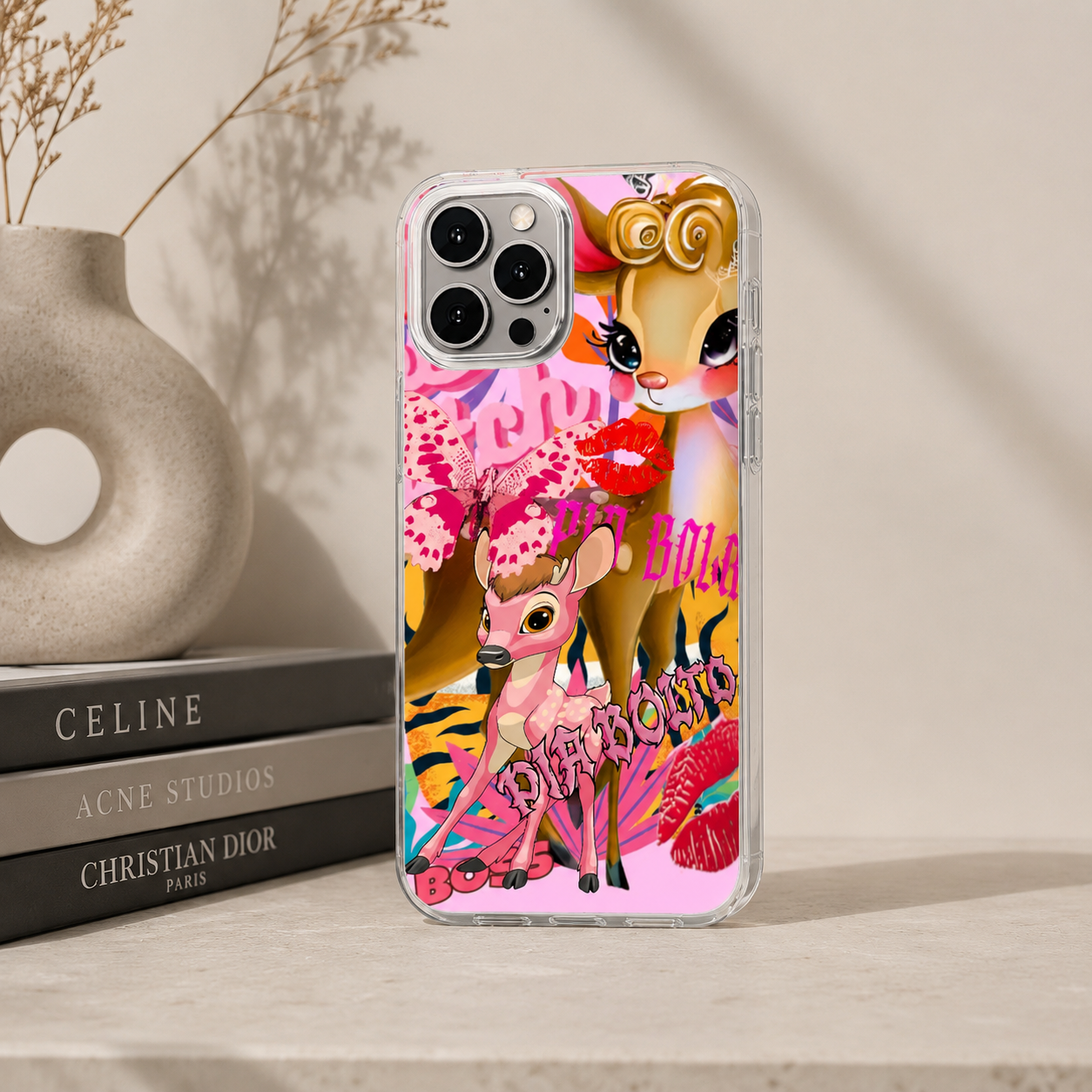
PIA BOLTE® Phone Case – Sweet Chaos Edition
PIA BOLTE® Phone Case – Sweet Chaos Edition
Couldn't load pickup availability
Cute has never been so dangerous.
This phone case combines playful elements with maximum attitude. Candy colors, glossy lips, graphic details, and the iconic deer illustration come together to create a look that is both sweet and uncompromisingly edgy. Loud in expression, yet deliberately staged.
The intense color scheme makes the case an immediate eye-catcher and adds strong visual energy even to minimalist looks. More than just protection – an accessory with its own personality that completes your outfit down to the last detail.
Highlights
- Eye-catching all-over print with deer and graphic elements
- Intense pink and candy tones with strong contrast
- Glossy lips and street art-inspired details
- Slim, lightweight form with comfortable grip
- Expressive design with clear PIA BOLTE® aesthetic
Fit
Precisely crafted for the respective iPhone model.
Comfortable to hold and maintains a slim look.
Material
Material

FAQs
Sind die Produkte limitiert oder ständig verfügbar?
Viele Designs sind streng limitiert oder Unikate – wenn ein Teil ausverkauft ist, kommt es oft nicht wieder. Schnell sein lohnt sich also! Neue Highlights findest du regelmäßig in unseren Drops.
Was macht PIA BOLTE® Fashion so besonders?
Jedes Teil ist ein Statement – entworfen in Deutschland im Herzen von München, inspiriert vom internationalen Streetstyle. Wir setzen auf auffällige Designs, starke Silhouetten und hochwertige Materialien, damit du dich jeden Tag wie auf den Laufstegen dieser Welt fühlst.
Wie lange dauert der Versand innerhalb Deutschlands?
Deine Bestellung wird in der Regel innerhalb von 2–5 Werktagen geliefert. Sobald dein Paket unterwegs ist, erhältst du eine Sendungsverfolgung per E-Mail.
- Choosing a selection results in a full page refresh.
- Opens in a new window.
You have copied the placement for the Product Page.
Go back to the App Embeds section, and in the Paypal Advanced Settings, paste the copied value into the Product Page field and click the 'Save' button in the top right corner.